Microsoft Generative AI Ecosystem (Part 2): Why SMEs Should Consider Moving to Microsoft
Artificial Intelligence is changing the way businesses operate, but the real opportunity goes beyond adopting another AI tool.
It lies in connecting intelligence with the systems, data and everyday workflows that keep a business running.
Recap: The Microsoft AI Ecosystem
In Part 1 of this series, we explored how Microsoft’s Generative AI ecosystem brings together cloud AI services, Microsoft Copilot and Dynamics 365 Business Central to help businesses move beyond content generation and towards more intelligent business operations and how Aristou helps SMEs connect technology to practical business workflows.
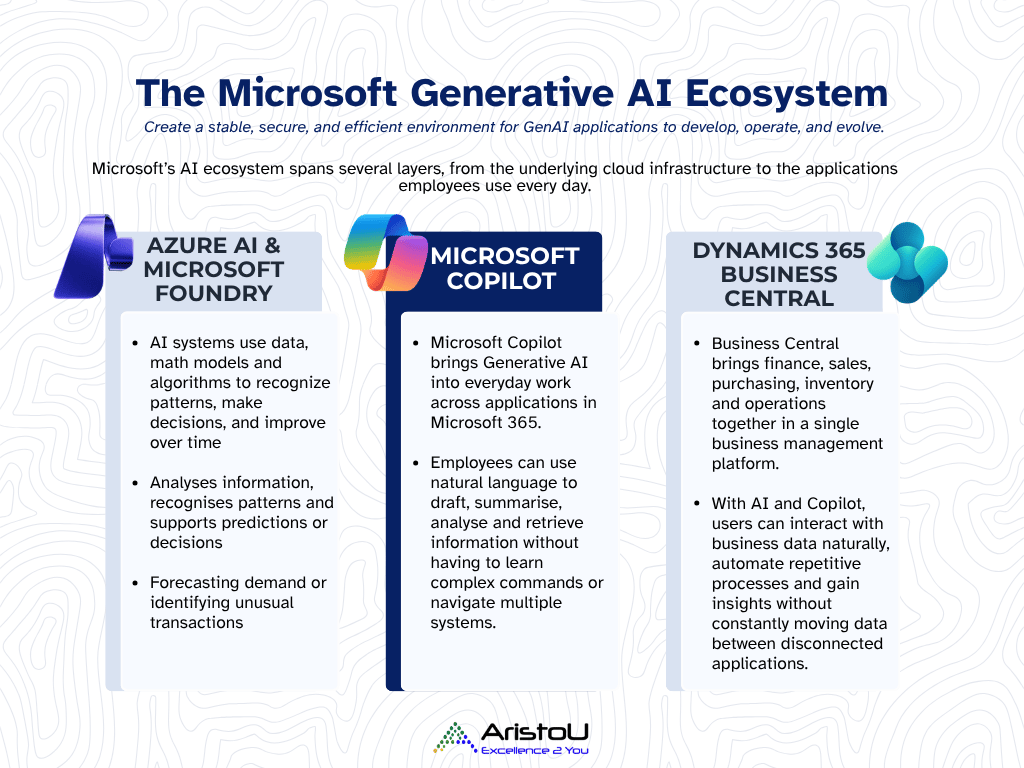
Previously, we looked at the differences between AI, Generative AI and Agentic AI, explored the role of knowledge mining and examined how businesses using Business Central can put these capabilities into practice, from accessing business information more naturally to automating repetitive processes and turning operational data into actionable insights.
Microsoft Dynamics 365 Business Central sits inside a much bigger Microsoft ecosystem, and Aristou knows how to help SMEs make practical use of it.
Microsoft’s current documentation supports the idea of Business Central AI being integrated into workflows, while Copilot Studio can also connect agents directly to Business Central data and business logic.
What About Businesses Considering a Move to Microsoft?
But what if your business isn’t using Microsoft today? In this article, we specifically want to speak to those who are on the fence considering another cloud ERP solution or even migrating to the Microsoft ecosystem.
If you’re like many SMEs, business operations are spread across different platforms, i.e.: accounting/ERP software, spreadsheets, email, messaging tools, AI tools and standalone apps that may not always communicate effectively with one another.
While each system may serve a purpose, disconnected information can create unnecessary manual work, fragmented visibility and missed opportunities to make better-informed decisions.
Consider a typical work scenario: A customer sends an email requesting a quotation.
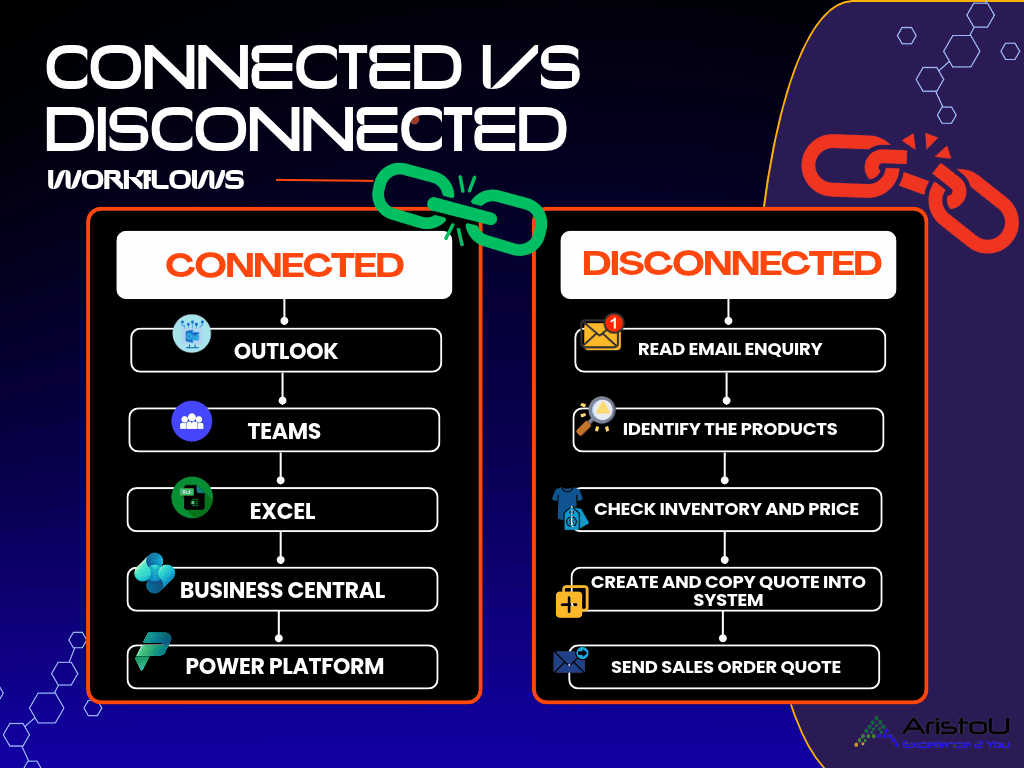
In a disconnected environment, an employee may need to:
-
Read the email → identify the products → check inventory → look up pricing → create a quote → copy the information into another system → send the response.
Every additional handoff creates another door for delay or error. How can we help?
Why the Microsoft Ecosystem Matters
This is where the Microsoft ecosystem presents an opportunity.
With an integrated Microsoft environment, the objective is to connect these processes across Microsoft 365, Business Central and automation capabilities so that information can flow between the applications rather than being repeatedly re-entered.
Rather than introducing AI as yet another standalone application, SMEs can build towards a more connected and safe digital environment.
With Microsoft 365, Power Platform, Azure and Dynamics 365 Business Central working together through appropriate integrations, businesses can reduce friction between everyday tasks and core operations, improve access to information, and establish a stronger foundation for adopting AI.
Microsoft is already bringing AI agents into Business Central for workflows such as converting incoming sales orders and processing payables.
This is particularly attractive and relevant for growing SMEs. Why?
SMEs can begin designing processes where technology handles more of the repetitive work while employees remain responsible for judgement, exceptions and approvals.
The real advantage is not any single AI feature. It is the connected ecosystem.
For a Microsoft-based business, employees may already be working across:
-
Outlook → Teams → Excel → Business Central → Power Platform
When these environments are connected, AI can operate closer to where business information actually lives.
Microsoft highlights that Copilot can use permitted work data such as emails, chats, meetings and files through Work IQ, depending on licensing and configuration.
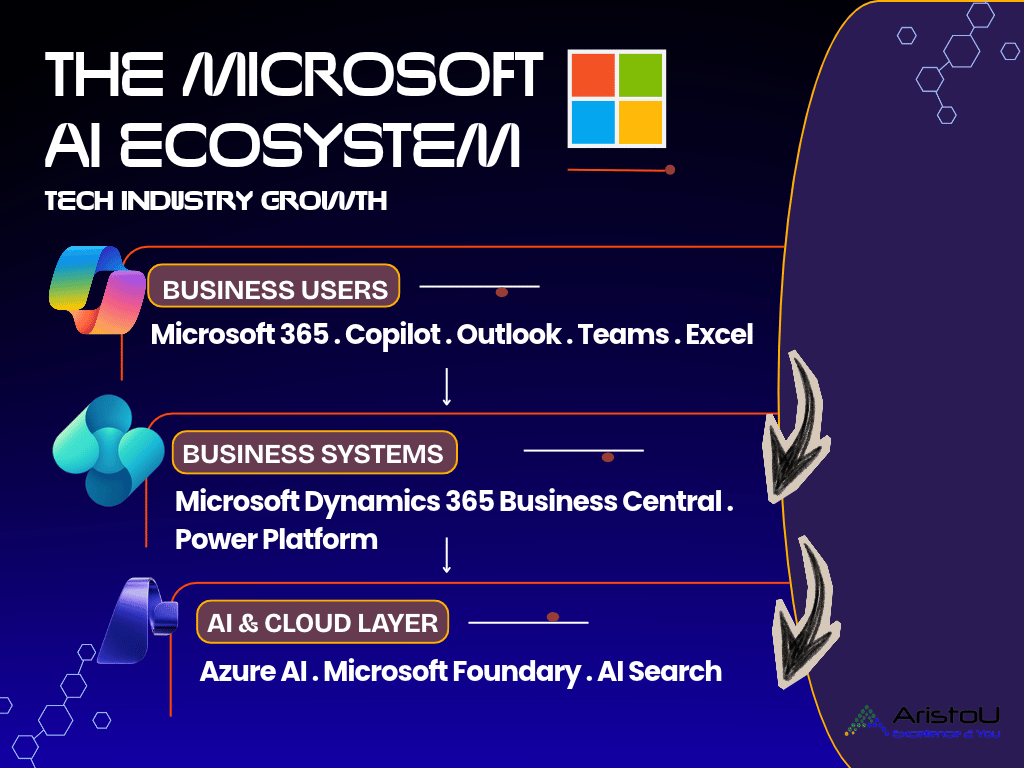
This creates a more powerful proposition than simply introducing another standalone AI tool.
The bottom-line is: Your AI can be designed around your workflows, your data and your business context.
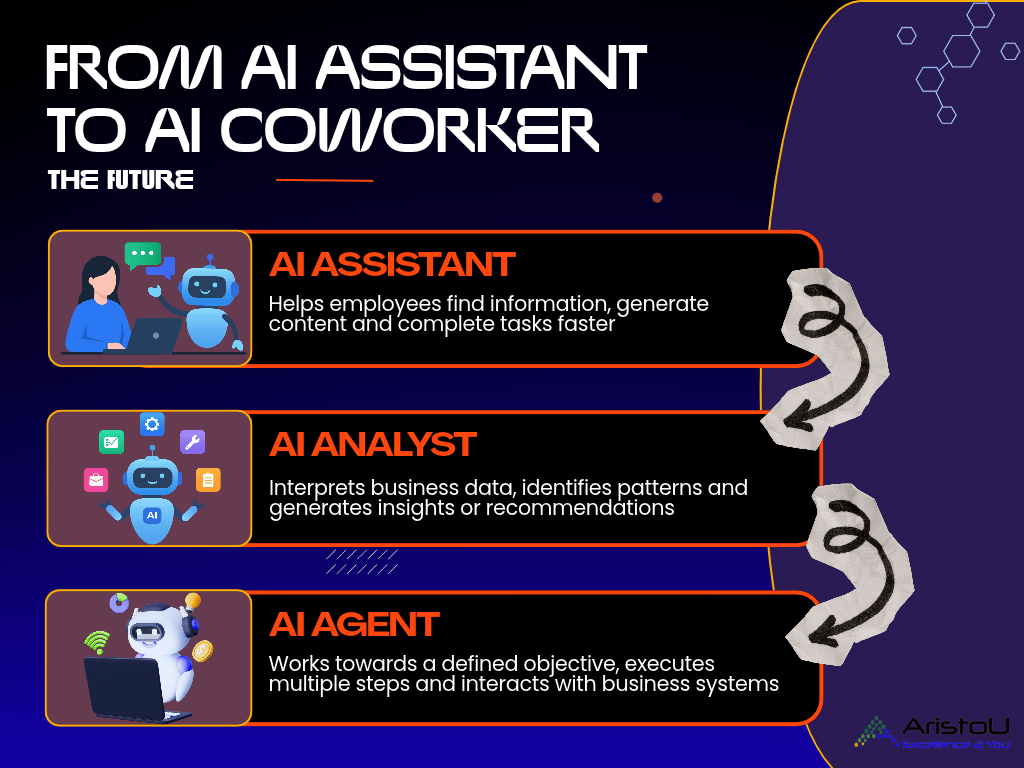
The Future: From AI Assistant to AI Coworker
The evolution of enterprise AI can be viewed in three stages:
-
AI Assistant
Helps employees find information, generate content and complete tasks faster. -
AI Analyst
Interprets business data, identifies patterns and generates insights or recommendations. -
AI Agent
Works towards a defined objective, executes multiple steps and interacts with business systems- while keeping people involved where judgement or approval is required.









Leave a Reply